
Academic Affairs Office - Latest Announcements
Notice regarding the distribution of weekly reports for the 20th and 21st weeks of the first semester of the 114th academic year.
{{ $t('FEZ002') }}301 Student Affairs Office|
.
Hello teachers and students:
I. The weekly reports for the 20th and 21st weeks of this semester have been placed in the class cabinet. Please have the class prefects pick them up from the student affairs office cabinet during break time. One copy is for the homeroom teacher to keep, and the other copy, after being signed by the homeroom teacher and the entire class, should be returned to the Student Affairs Section of the Student Affairs Office by [1/23/115]. Thank you for your cooperation, teachers and students.
II. The weekly report was generated on January 21, 115, covering the period from January 11 to January 20. Its main function is to display actual [absenteeism records] to remind students to complete the leave application procedures in a timely manner.
III. After the weekly report is generated, official leave, personal leave, and sick leave will continue to be processed and their absence records will be corrected. If there are any discrepancies in the data, students are requested to check the school system immediately. If you still have doubts, please contact the instructor for confirmation, or visit the Student Affairs Section of the Student Affairs Office to inquire with Clerk Ou.
IV、Absence records cannot be changed after the end of the semester.
V. To improve timeliness and administrative efficiency, and to strengthen student affairs counseling functions, starting this semester, all student absences will be notified via mobile phone text messages, replacing the traditional paper mailing process. Text messages will be sent to parents weekly to help them stay informed of students' attendance status and provide timely care and guidance.
💻 Online Absence InquiryPath:
[School Website] → [Student Zone] → [Student Online Inquiry System] →
Username: (Student ID) | Password: (First letter of ID number in uppercase) → [Absence Inquiry]
📱 Mobile App Inquiry
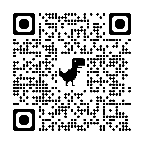
Download the [Xinhe Smart Campus APP], select [Taoyuan City → NTUT], username and password are the same as the student inquiry system.
Android:https://reurl.cc/Mz41Qn
👨👩👧 Parent Absence Inquiry
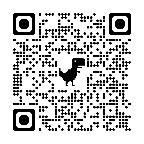
Parents need to register an account first. For operating instructions, please refer to:
🔗 https://reurl.cc/WOR4qx
According to the regulations of the National Communications Commission (NCC), telecommunication operators have recently strengthened their mechanisms to prevent SMS fraud. The "Reject Corporate SMS" function on some phone numbers may be enabled by default. If parents cannot receive absence notification SMS, please follow the instructions below:
♦️Chunghwa Telecom → Log in to Chunghwa Telecom's "My Service Center" or call customer service to apply for/cancel. |
|
♦️Taiwan Mobile → Dial 188 from your mobile phone to contact customer service to cancel "Reject Corporate SMS," or log in to your personal account on the web or app, and find the option to "Reject Corporate SMS" in the relevant menus such as "Service Application," "Application Management," or "My Services" to set it up. |
|
♦️Far EasTone →https://www.fetnet.net/or customer service 800-058-885 (toll-free landline) / 888 (toll-free mobile), or apply for [Disable Reject Corporate SMS] through online customer service on the official website/app. | |
♦️️Asia Pacific Telecom → Dial 999 from your mobile phone to contact customer service to cancel "Reject Corporate SMS," or you can apply through the user service center of Far EasTone. | |
{{ $t('FEZ003') }}2026-01-21
{{ $t('FEZ014') }}2028-01-30|
{{ $t('FEZ004') }}2026-01-21|
{{ $t('FEZ005') }}315|